
SKYROADSSDL
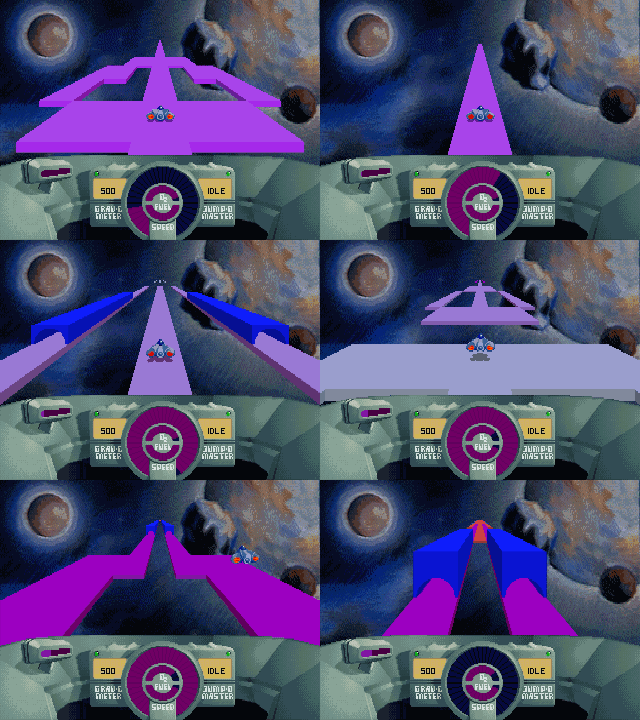
Real gameplay — bit-exact physics at the original 36.4 Hz tick.
What is this?
SkyRoads (Bluemoon Interactive, 1993) is the legendary DOS game where you pilot a ship over floating roads in space — jumping gaps, dodging obstacles, and running out of oxygen at the worst possible moment. This complete native bundle includes the original game, SkyRoads Xmas Special, and the original track editor. The project ports the original source code to portable C + SDL2, so it runs natively on modern machines: the fixed-point physics are bit-exact, the 3D road renderer was rewritten from the original hand-written x86 assembly, and the AdLib soundtrack plays through a proper OPL2 emulator.
Features
Quick start
macOS: unzip, then right-click → Open the first time (it isn't notarized).
Linux:
tar -xzf skyroads-linux-*.tar.gz
cd skyroads
./skyroads
Windows: unzip, double-click skyroads.exe. That's it.
Or build from source — details in the README.
Controls
| ← → | steer |
| ↑ ↓ | accelerate / brake |
| Space | jump |
| P | pause |
| F9 | music: AdLib FM ↔ wavetable |
| F10 | CRT effects on / off |
| X | switch SkyRoads / Xmas Special from the main menu |
| E | open the track editor from the main menu |
| F11 / Cmd-F | fullscreen |